 S3 Files
Client-Side Encryption and SSE-C
S3 Files can encrypt your files with a key only you hold. With client-side encryption (CSE), files are encrypted on your device, so the provider only ever holds encrypted data. With server-side encryption with customer-provided keys (SSE-C), S3 encrypts them with the key you send along.
Client-side encryption follows Amazon's S3 Encryption Client and works with practically any S3 service; SSE-C is an AWS feature some others copy. Generating or importing keys needs Pro.
Keys
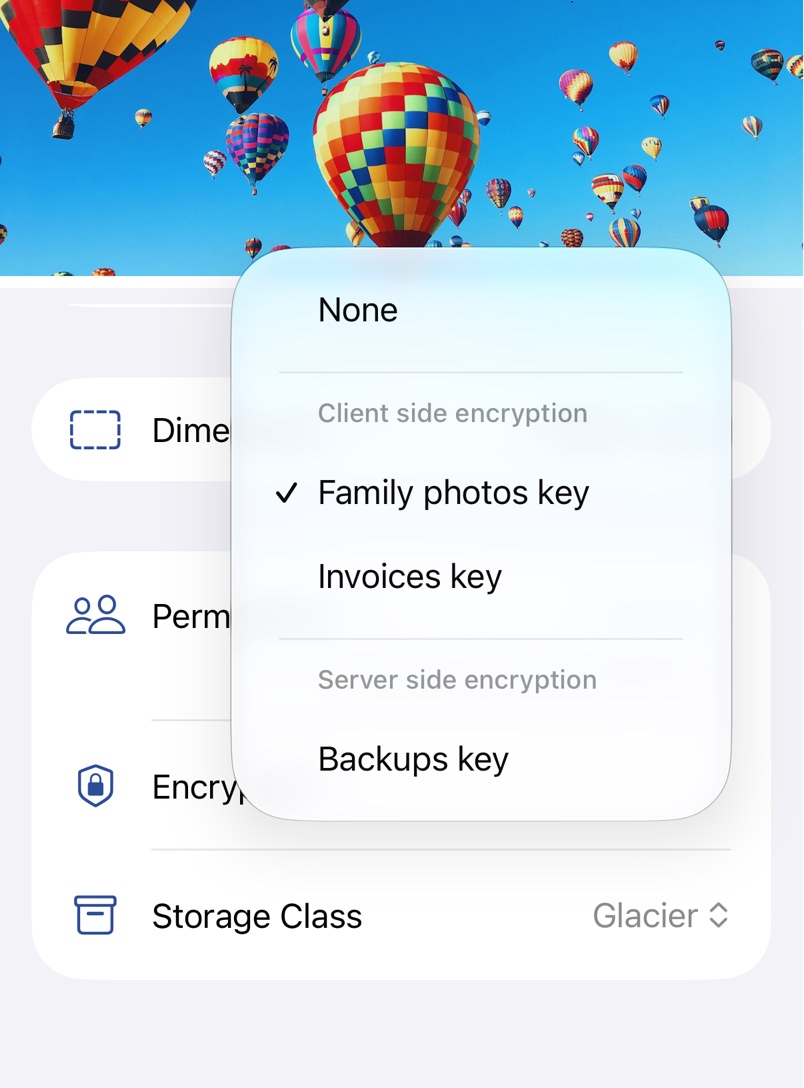
Keys live in Encryption Keys in Settings, or Manage Keys… in a server's Encryption menu. Tap Add, pick the kind, then Generate a key or Import from Clipboard one copied as base64. Open a key to rename it or Copy it. Keys sync to your other devices through iCloud Keychain.
Using a key
Pick the key under Encryption in the server details, and every upload to that server is encrypted, including from the Files app and Finder. Existing files stay as they are; to encrypt one, pick the key in its Manage sheet.
Encryption Format
For a client-side key, Encryption Format sets how new uploads are written; every file records its own.
- Compatible is read by every version of S3 Files, and by AWS encryption clients that allow legacy key wrapping.
- Key committing also ties each file to exactly one key. Current AWS encryption clients use it by default, but older versions of S3 Files can't read these files.
Files from other tools
S3 Files reads both formats from the AWS S3 Encryption Client, as long as the wrapped key is an AES key stored with the file, not KMS, RSA or a separate .instruction file. For the Java client to read files that S3 Files wrote as Compatible, enable enableLegacyWrappingAlgorithms(true) and the commitment policy FORBID_ENCRYPT_ALLOW_DECRYPT.
SSE-C
AWS blocks SSE-C on new buckets by default, so picking a server-side key for one shows SSE-C Blocked. Enable SSE-C turns it back on, given keys allowed to change the bucket's encryption settings.
Before you rely on it
- Nobody can recover your files if you lose the key, not even Anders. Keep a copy somewhere safe outside S3 Files.
- A server with a key offers no streaming and none of the links from Share Links or Request Upload and Edit Links, as a browser couldn't decrypt the files.
- Opening a client-side encrypted file on a server without a key fails with Missing master key for client-side decryption, and with the wrong key Incorrect decryption key.