 S3 Files
Storage Classes and Restoring from Glacier
Every file in S3 has a storage class that sets its price and how quickly it can be read; the Glacier classes are for archives you rarely touch.
Files in Glacier and Glacier Deep Archive must be restored, which takes hours, before they can be downloaded; Glacier Instant Retrieval files download right away.
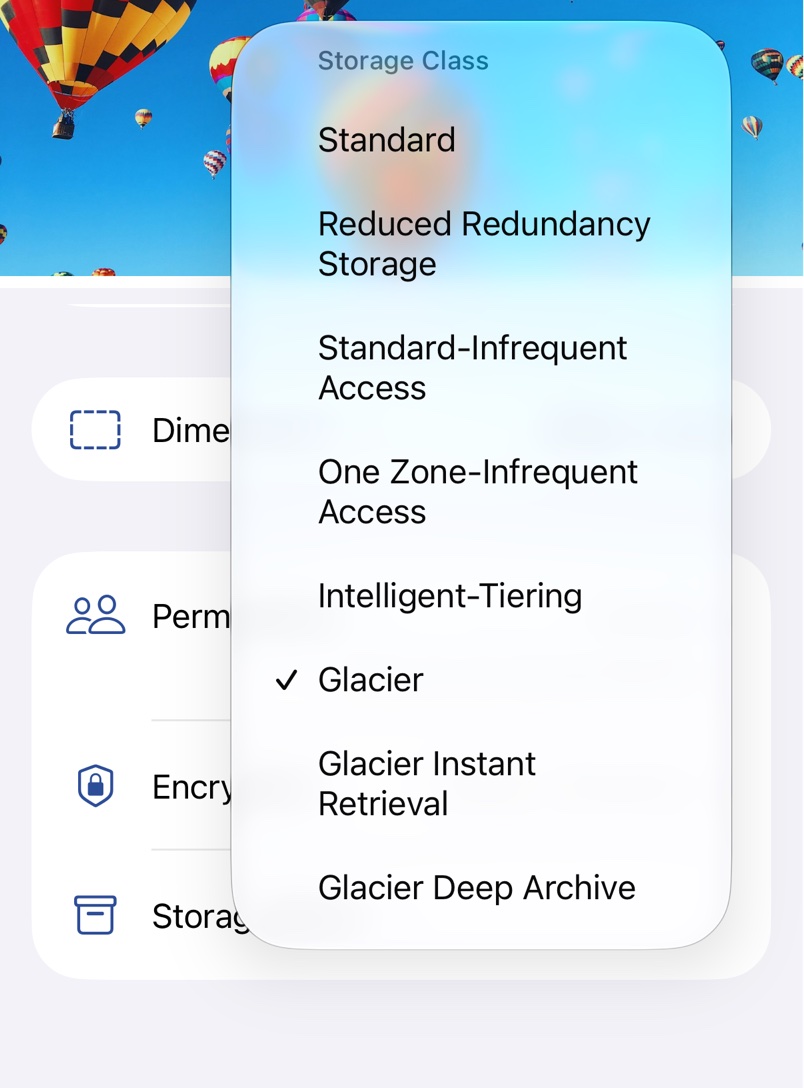
Default for uploads
Storage Class in the server details sets the class of everything uploaded to that server. Pick one of the AWS classes from the chevron, or type the name your provider uses. Server Default leaves the choice to the provider.
Change one file
Pick a class under Storage Class in the file's Manage sheet, described in Versions and Permissions. Moving a file into Glacier is quick, but getting it out again takes a restore.
Restore from Glacier
A file in Glacier refuses to download with Restore object before download. Choose Restore from Glacier in its menu in the Files app, Finder or the S3 Files browser, for one file or several. It then shows Restore from Glacier in progress, and once S3 has made a temporary copy, Restore from Glacier expires with a date. Until then it downloads like any other file.
Restore settings
Under Glacier Restore in Settings, in the Finder tab on a Mac, Duration sets how many days the copy is kept, from 1 to 30, and Speed the retrieval tier. Standard typically takes 3 to 5 hours from Glacier and up to 12 hours from Deep Archive, Bulk is cheaper and slower, and Expedited takes minutes but only works for Glacier.
Restores cost money, more for faster tiers, and the copy is billed for the days it's kept; see the AWS guide to archive retrieval and the S3 pricing page.